Skapp People: A Complete Walkthrough of the People Module
Skapp’s People Module is designed to give businesses a single, reliable place to manage everything related to their employees. Instead of spreading people data across spreadsheets, HR tools, and internal documents, Skapp brings it all together in one organized, easy-to-manage system.
From basic employee details to team structures, career growth, and workforce insights, the People module helps teams stay informed and aligned as they grow.
This walkthrough covers the key features of Skapp People and shows how to use them effectively.
Getting started with the People directory
The People directory is the foundation of the module. It acts as a central source of truth for everyone in your organization.
To get started, navigate to the People module from the main Skapp dashboard. Here, you’ll see the employee directory, which lists all team members currently added to your workspace.
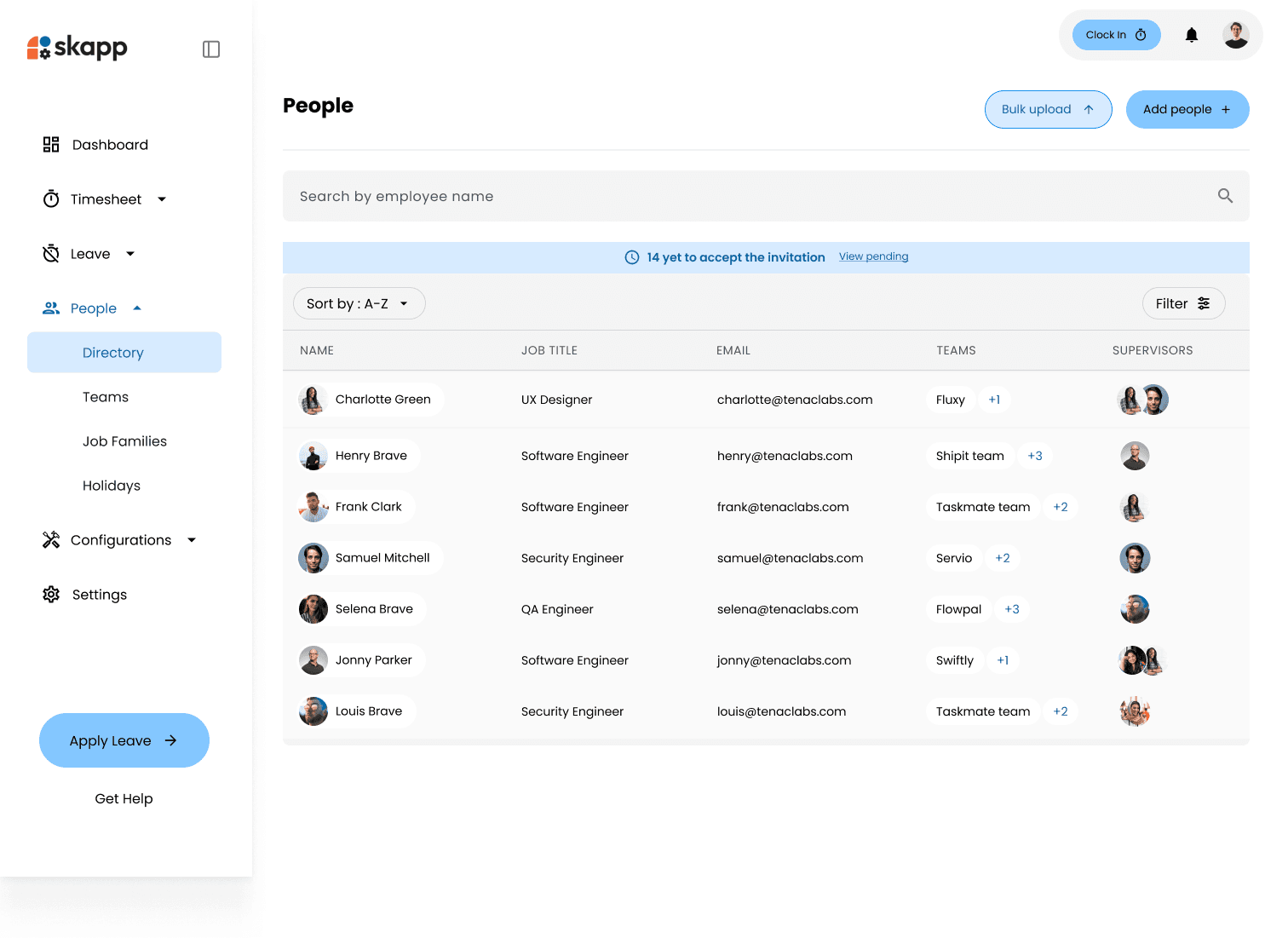
From this view, you can quickly search for employees, filter by teams or job families, and access individual profiles. As your organization grows, this directory becomes the easiest way to find anyone in the company without relying on outdated spreadsheets or chat messages.
Adding people to your organization
Skapp gives you two flexible ways to add people to your organization, depending on your team size and onboarding needs. You can add employees one by one or upload multiple people at once using a bulk upload.
Adding people individually
For smaller teams or individual additions, you can add employees manually.
From the People directory, click on the Add Person button. You’ll be prompted to enter basic employee details such as name and email address. Further employee information can be added in later. Once saved, the employee is immediately added to your directory, and their profile is created.
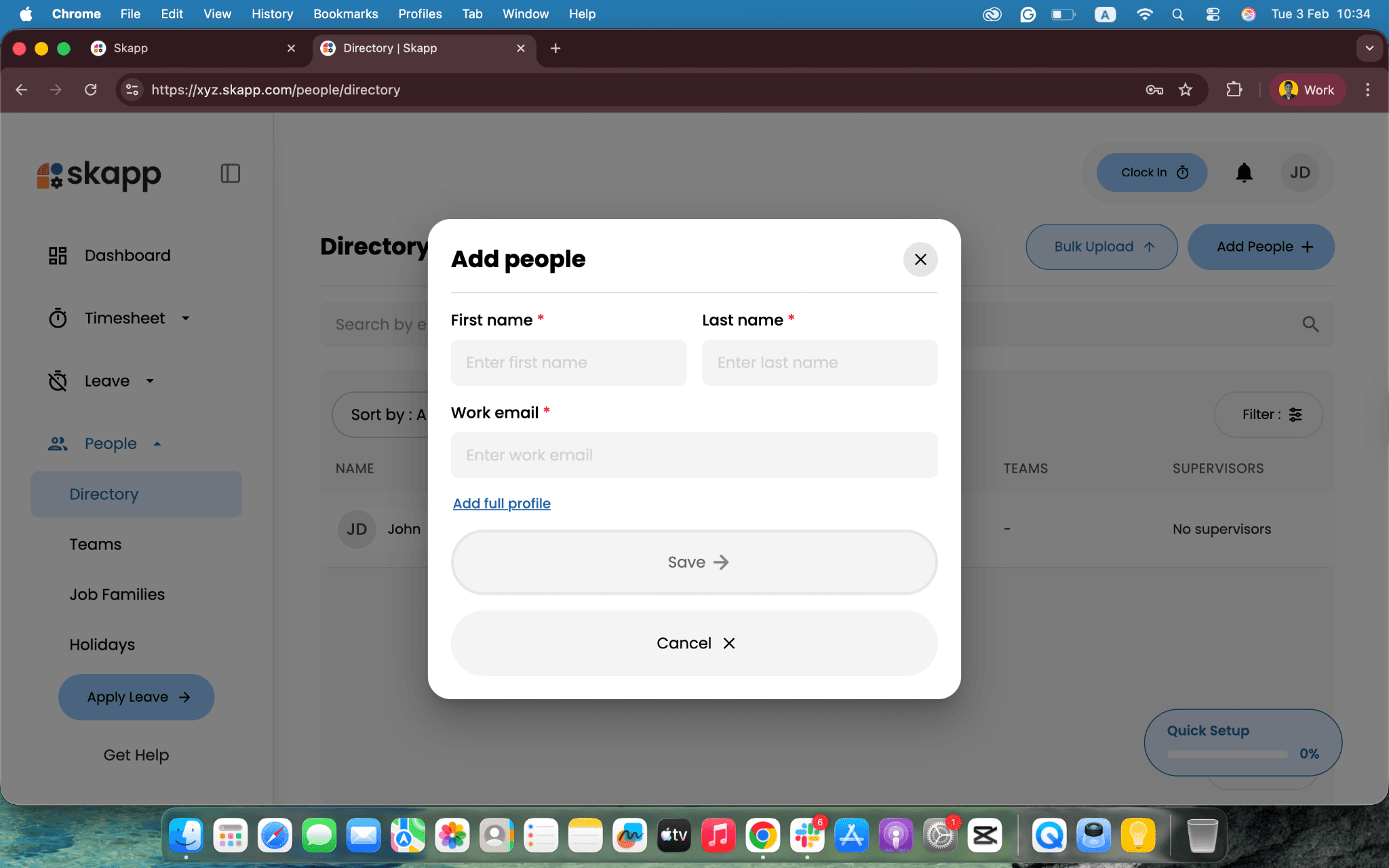
This method works well when onboarding new hires individually or making quick updates.
Bulk uploading using CSV file
If you are onboarding several employees at once, Skapp’s bulk upload option makes the process faster and more efficient.
From the People directory, click Bulk Upload in the top-right corner of the screen. Skapp provides a downloadable CSV template that outlines the required fields.
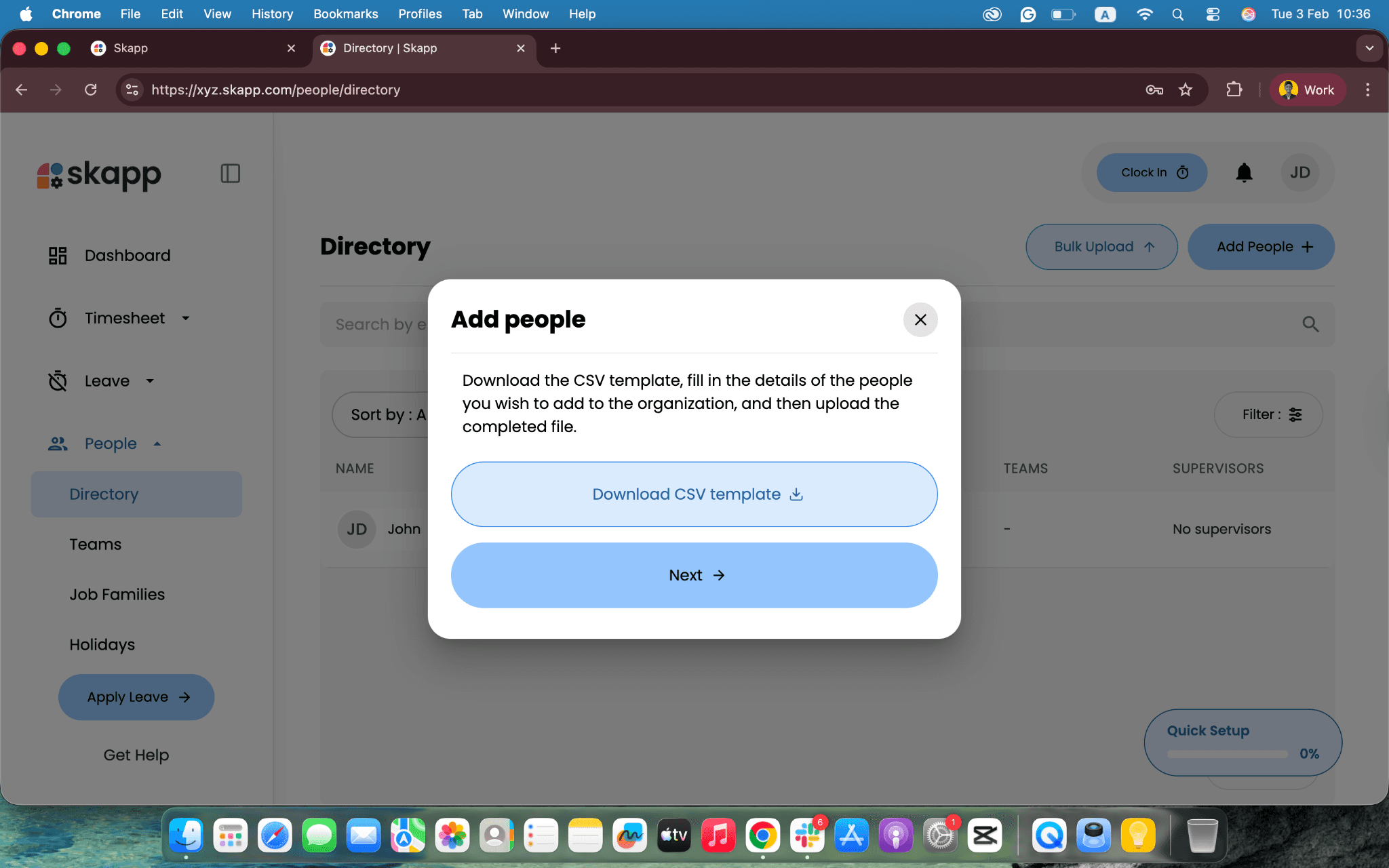
Download the CSV template, fill in the necessary employee details, and save the file. Once complete, upload the filled CSV back into Skapp to add all employees in one step.
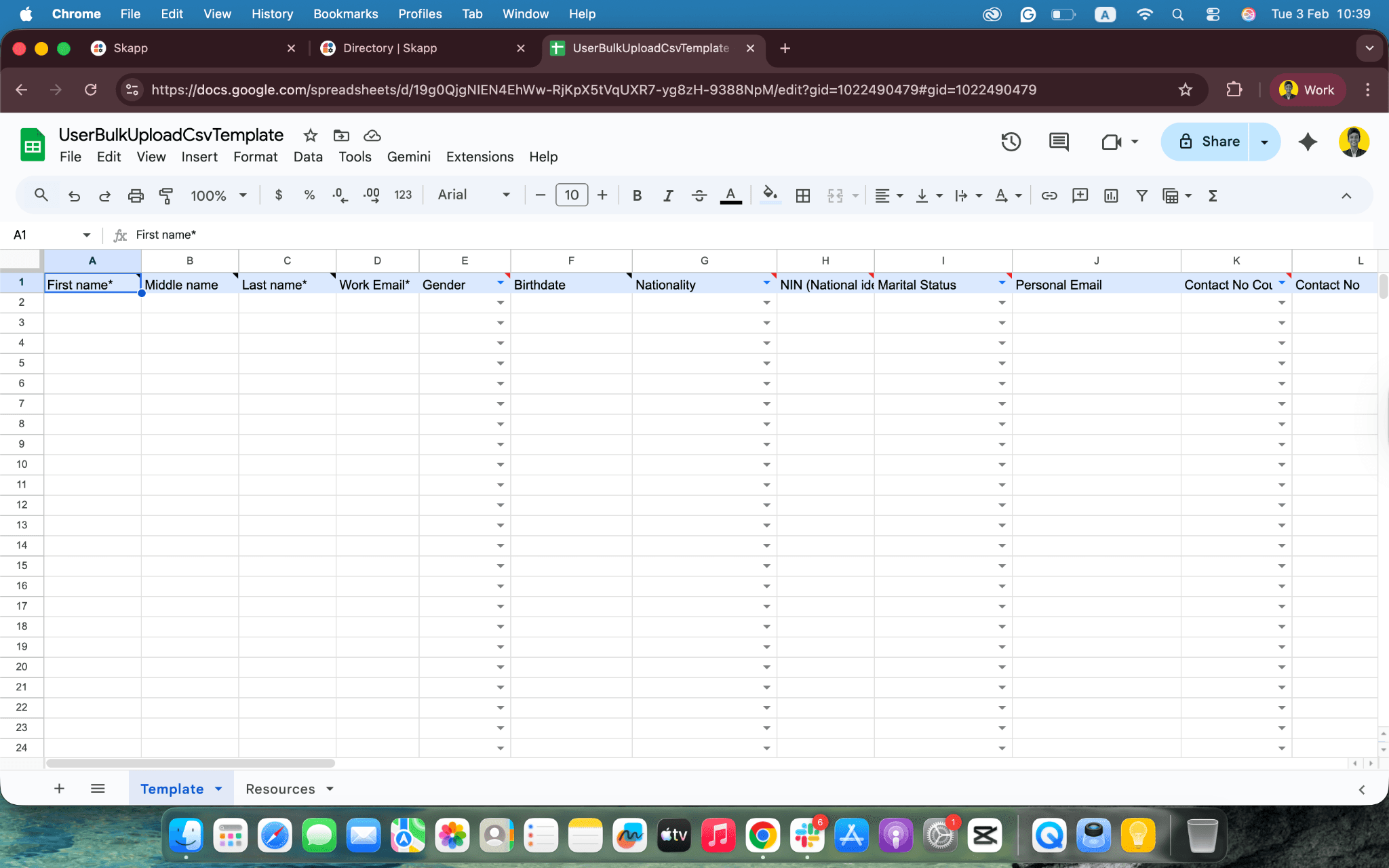
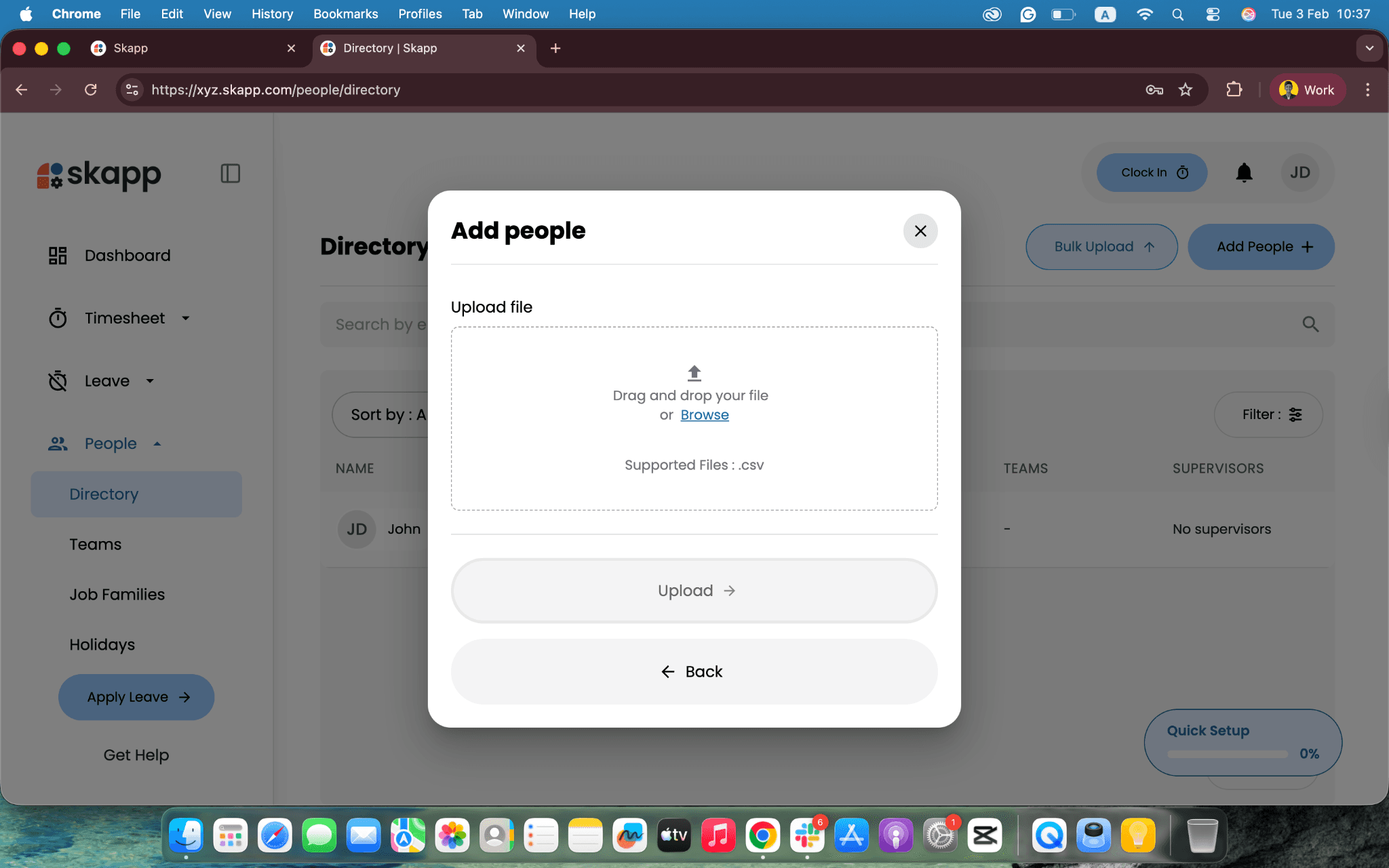
This approach is ideal for initial setup or migrating employee data from an existing system, ensuring accuracy while saving time.
Creating and maintaining detailed employee profiles
Each employee in Skapp has a dedicated profile that brings all their information into one place. Clicking on a person’s name in the directory opens their profile view.
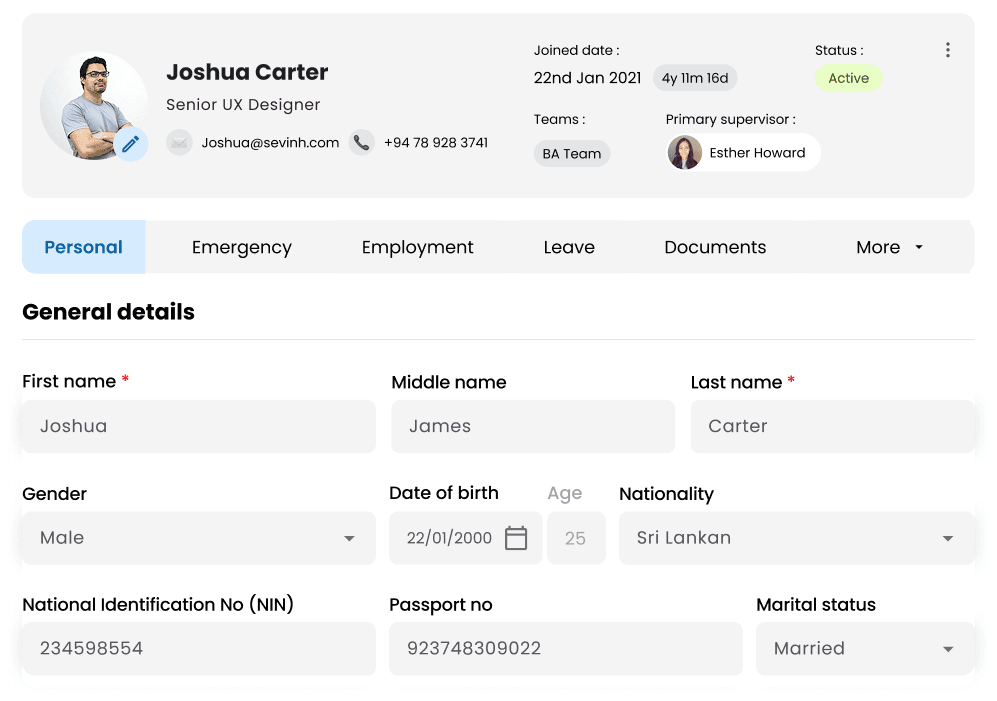
Employee profiles can include:
Personal and contact information
Family, educational, and health-related information
Emergency contact details
Job-related details such as role and department
Employment history and key milestones
Leave allocations and analytics
Timelogs and time insights
And more.
Because everything lives in one profile, managers and HR teams no longer need to switch between systems to understand an employee’s background or current status.
Organizing employees into teams
As organizations grow, clear team structures become essential. Skapp allows you to group employees into teams so responsibilities and reporting lines are easy to understand.
From the “Teams” section, you can assign team members to one or more teams. This helps create visibility across departments and supports better collaboration and planning.
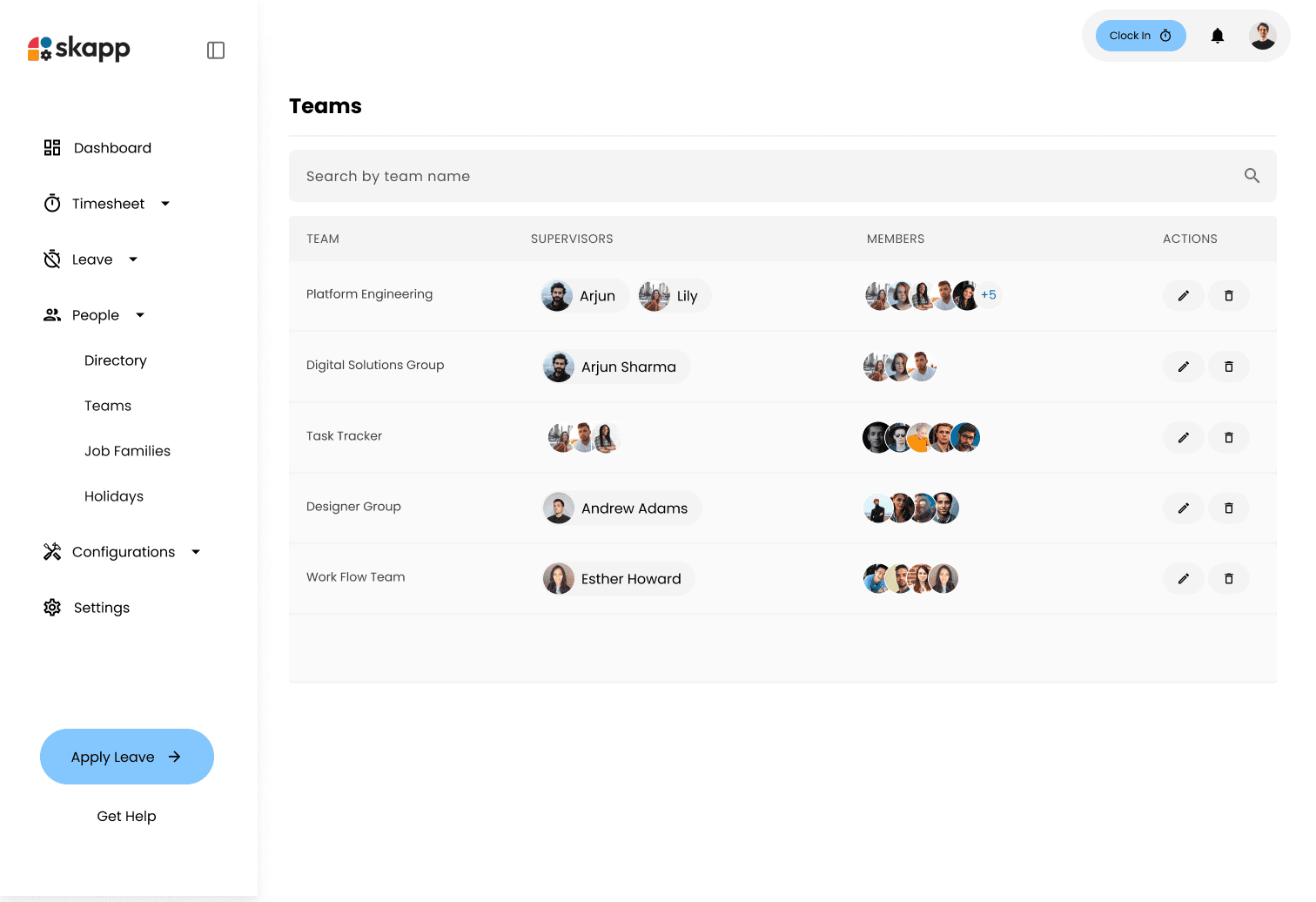
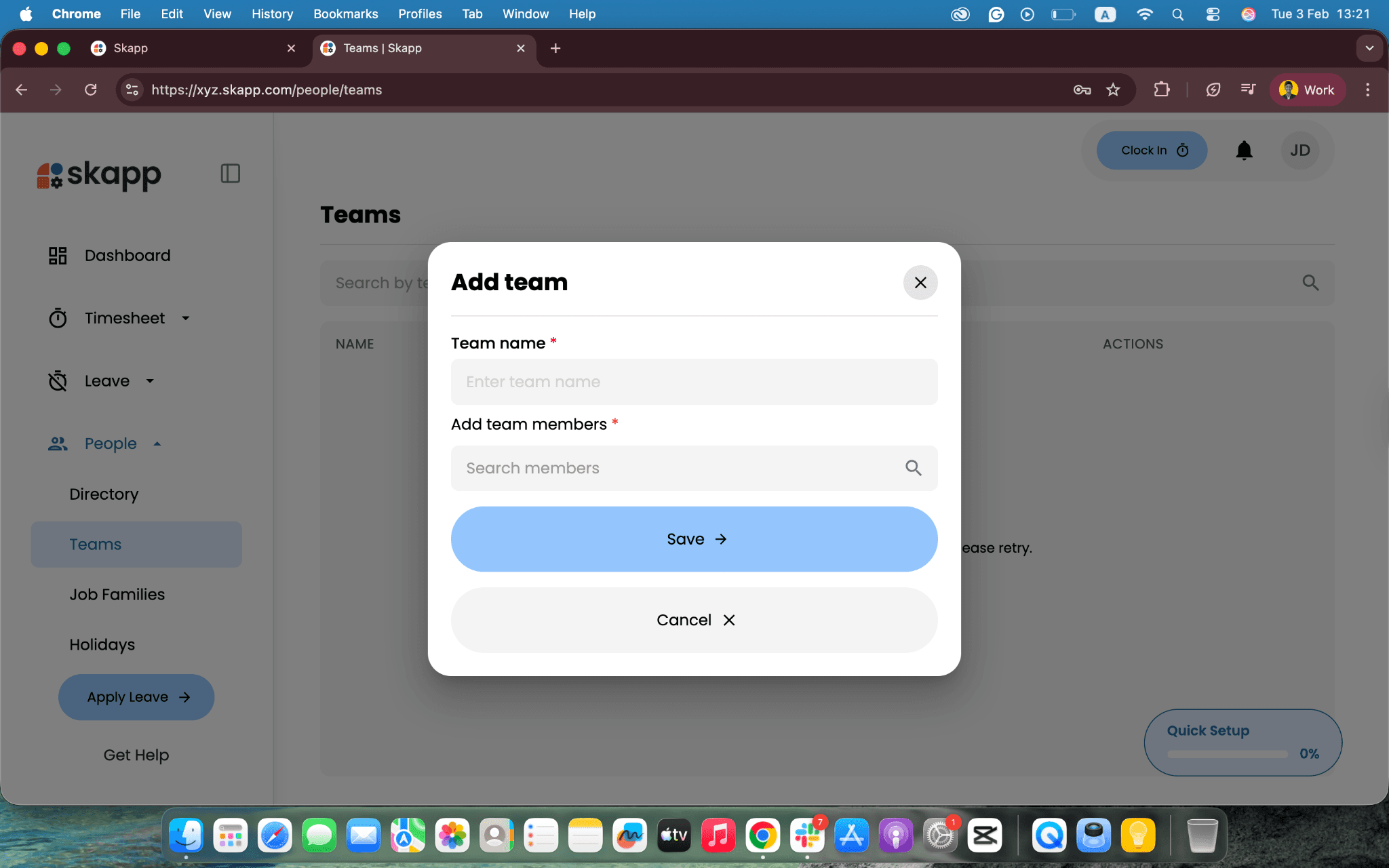
Teams created in the People module can also be reflected across other Skapp modules, keeping people and work aligned.
Defining job families and roles
Job families help standardize roles and create clarity around responsibilities and growth paths within the organization. In Skapp, job families allow you to group similar roles together, making it easier to manage career progression and workforce planning.
You can create and manage job families in the “Job Families” section and assign them to employees based on their current roles.
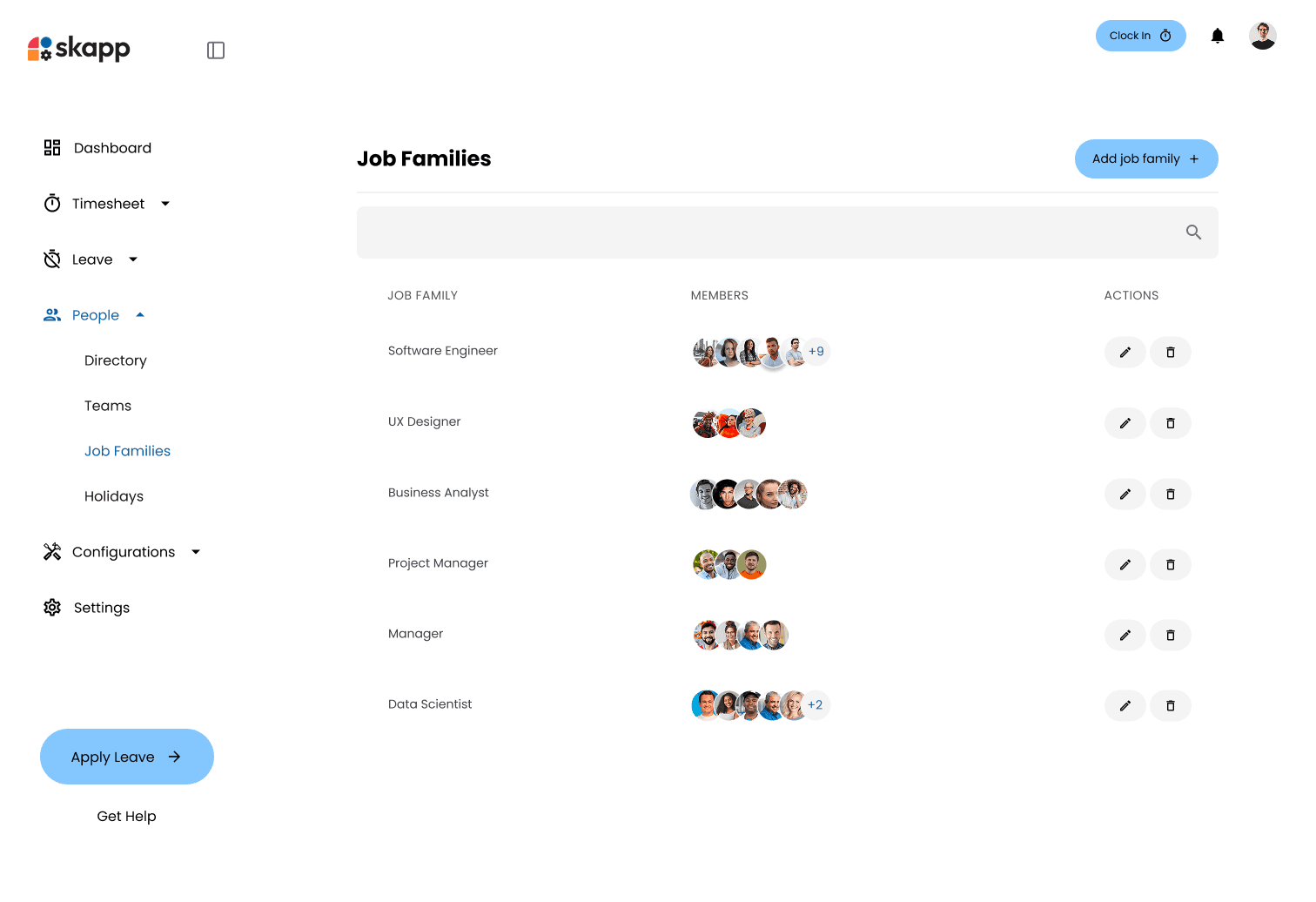
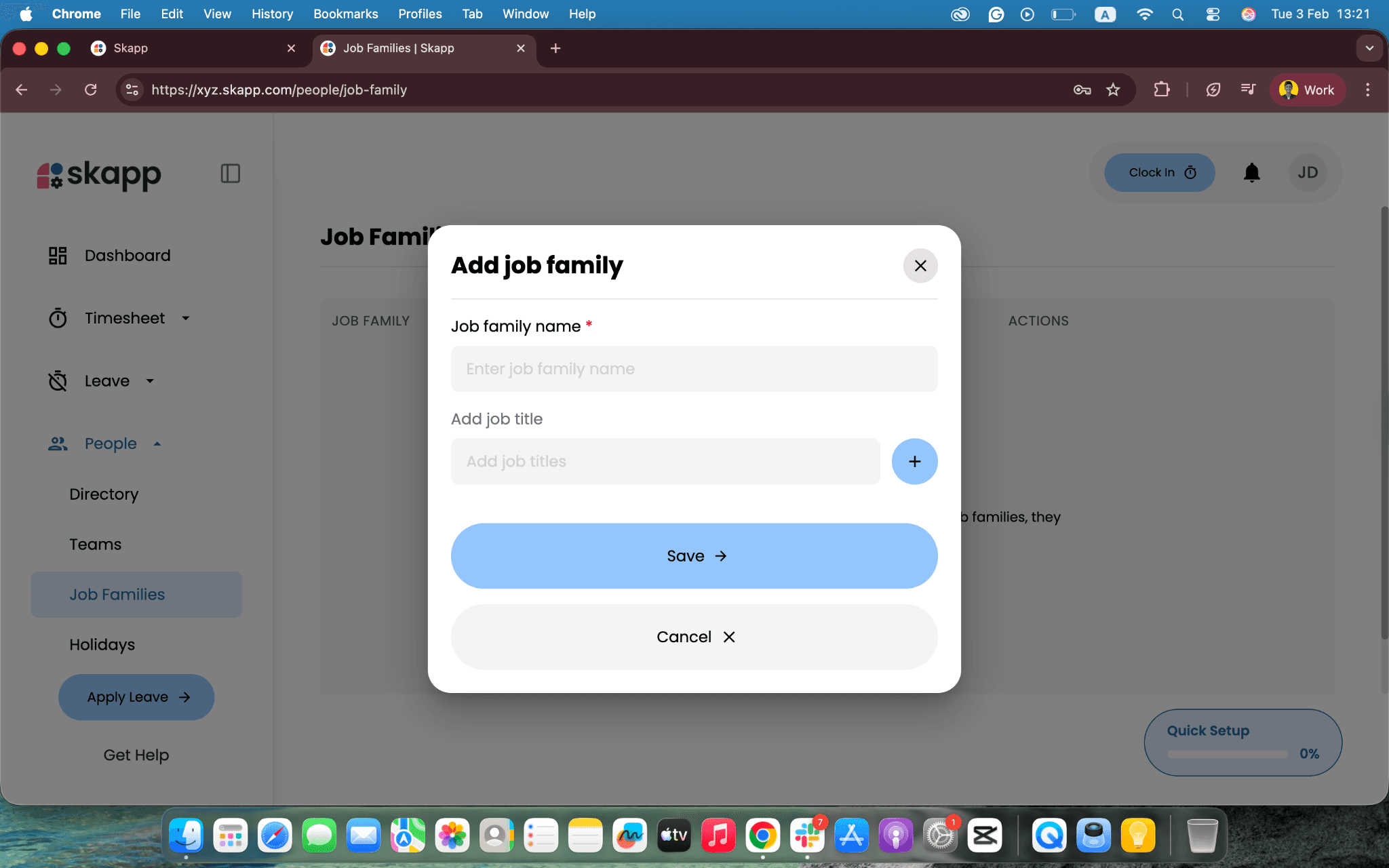
This structure is especially useful as teams scale and roles become more specialized.
Tracking employee growth and career progression
Skapp People goes beyond static employee records. It helps teams track how employees grow over time.
Within each employee profile, you can record changes in roles, responsibilities, and progression milestones. This creates a clear timeline of an employee’s journey within the organization.
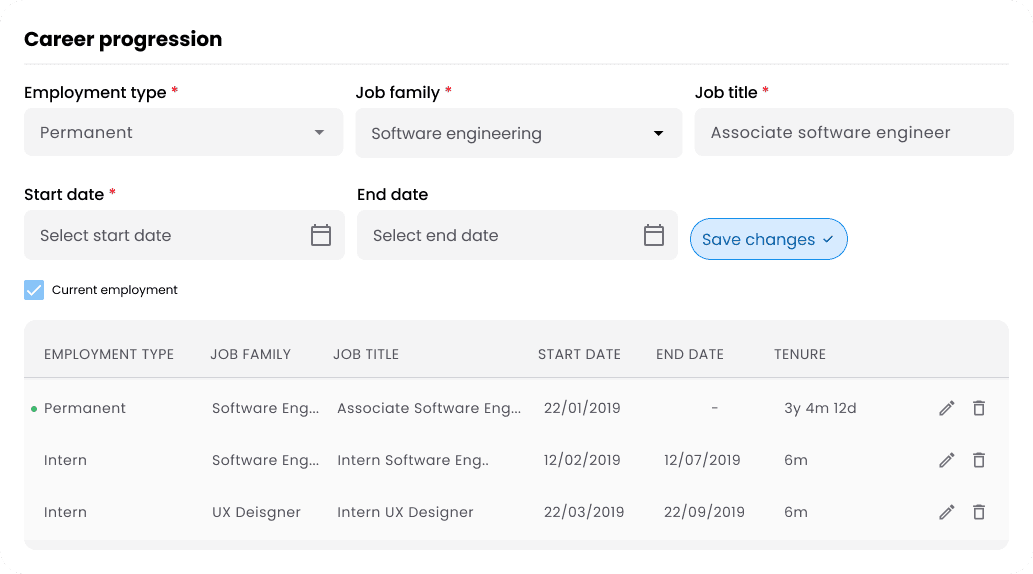
Having this information easily accessible supports more meaningful performance discussions, promotion planning, and long-term workforce development.
Viewing people insights and workforce trends
The People module includes built-in insights that help leaders understand their workforce at a glance. Instead of manually compiling reports, Skapp provides visual summaries of key people metrics.
These insights can highlight trends related to team composition, growth over time, and workforce distribution.
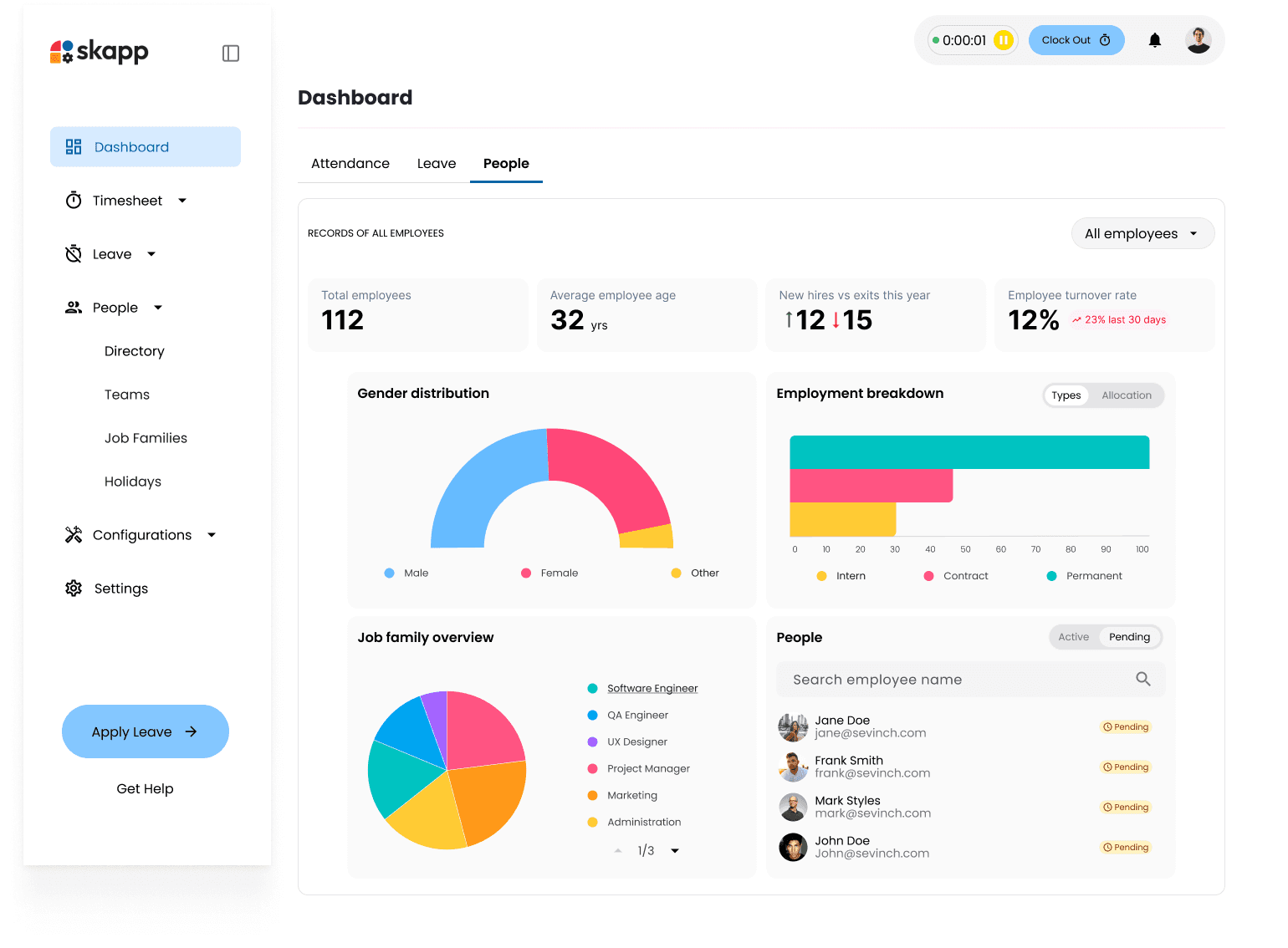
By turning people data into actionable insights, Skapp helps leaders make informed decisions without digging through spreadsheets.
Why centralizing people data matters
Managing people effectively requires more than storing employee details. It requires context, visibility, and connection to the rest of the business.
Skapp People integrates seamlessly with other modules such as projects, time tracking, and time off. This ensures that people data is always reflected in planning, execution, and reporting across the platform.
A strong foundation for growing teams
The People module provides the structure teams need without unnecessary complexity. Whether you’re onboarding your first employees or managing a growing organization, Skapp People scales with you.
By keeping employee data organized, accessible, and connected, Skapp helps businesses build stronger teams and more resilient operations.
What is the purpose of Skapp’s People module?
The People module acts as a centralized system for managing employee information, team structures, job families, and workforce insights. It replaces scattered spreadsheets and disconnected HR tools with a single, structured source of truth for your organization.
Can employee profiles be updated over time?
Yes. Employee profiles are dynamic and can be updated as roles change, responsibilities evolve, or milestones are reached. This ensures each profile reflects the employee’s current position and history within the organization.
What kind of workforce insights does the People module provide?
The People module includes built-in dashboards that highlight key workforce metrics such as team composition and growth trends. These insights help leaders understand their organization at a glance without manual reporting.
Does the People module connect with other Skapp modules?
Yes. The People module integrates with other Skapp modules such as Time Off, Time Tracking, and Project Management. This ensures employee data stays connected to day-to-day operations across the platform.